


i900 Mobility brings true iPad-native scanning to dentistry.
Experience the freedom to scan anytime, anywhere, without compromise.
True Mobility.
(i900M) – experience the freedom to scan anytime,
anywhere, without compromise.
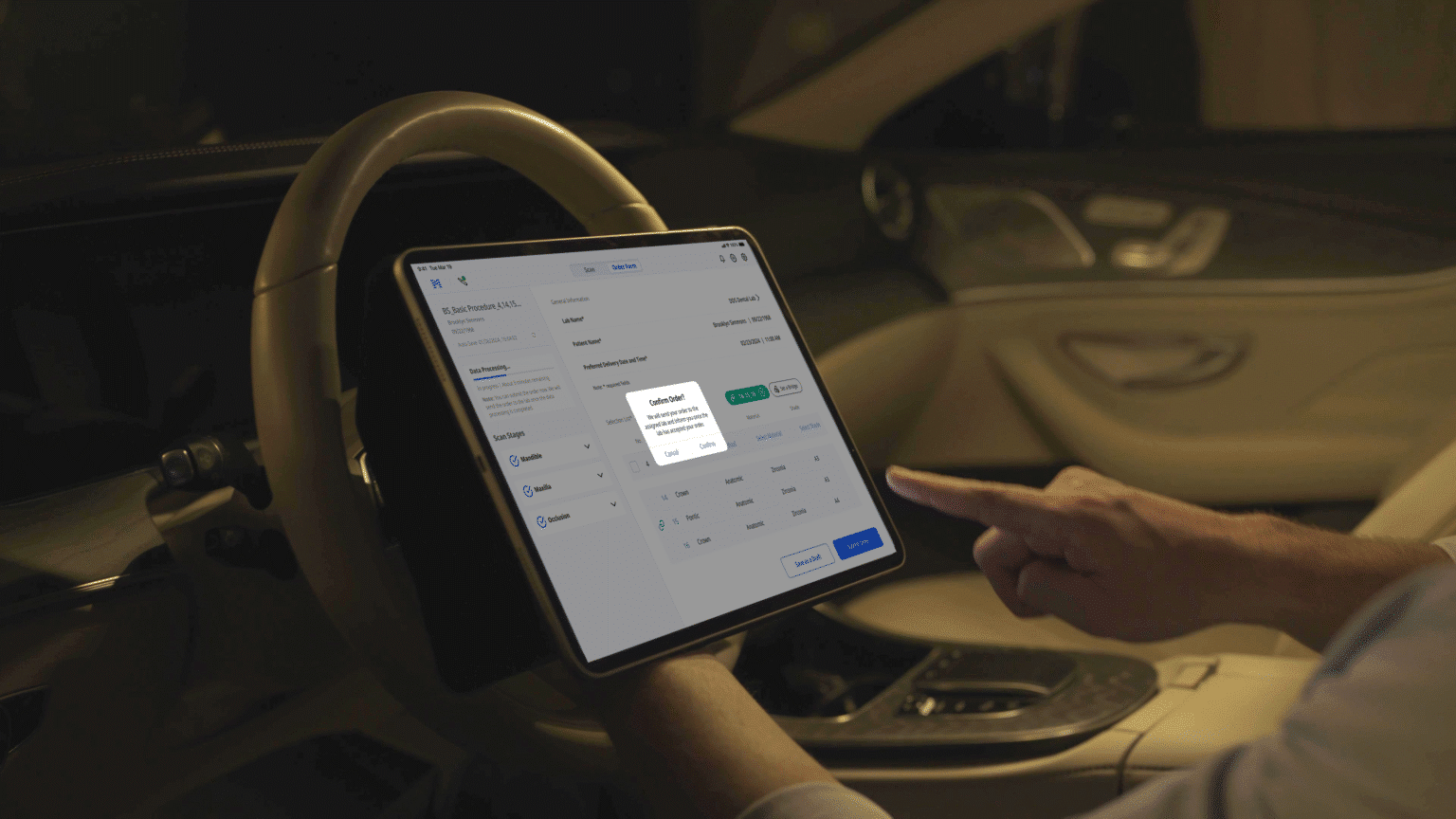
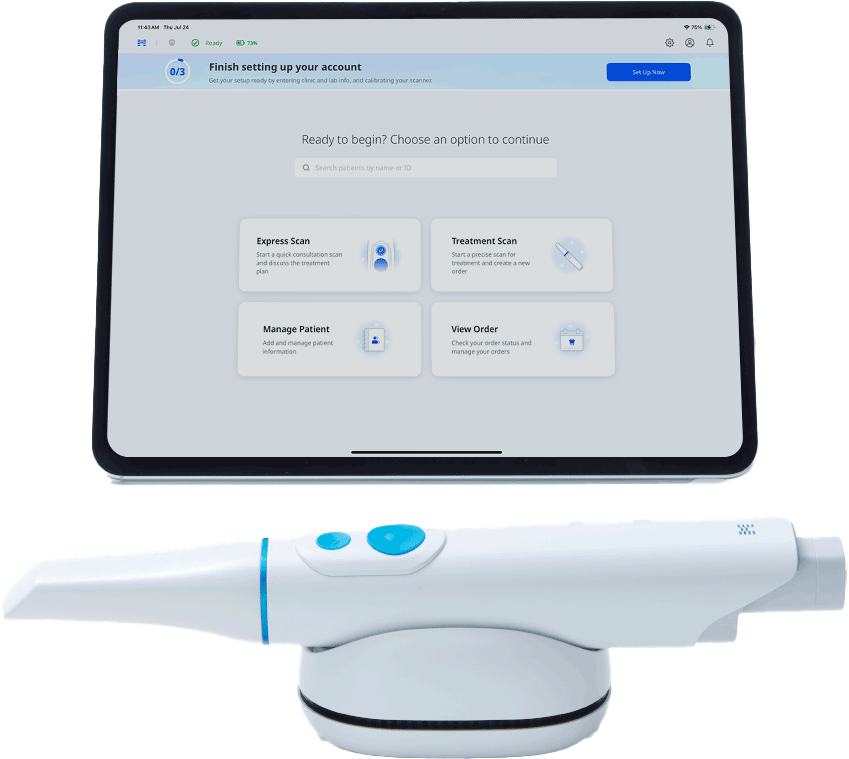
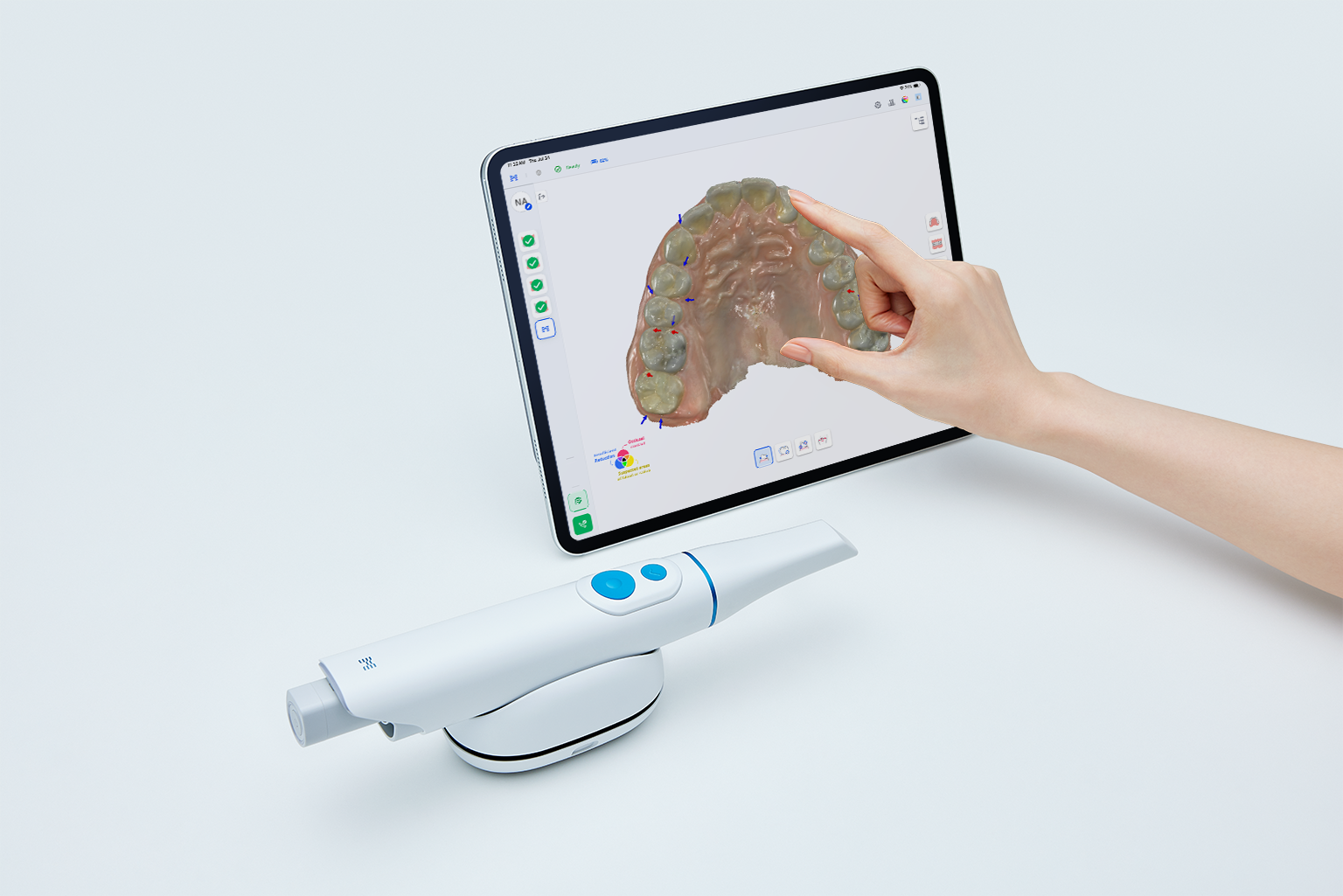
Medit Link Express delivers a fully mobile workflow.
Take your scanner anywhere it’s needed.
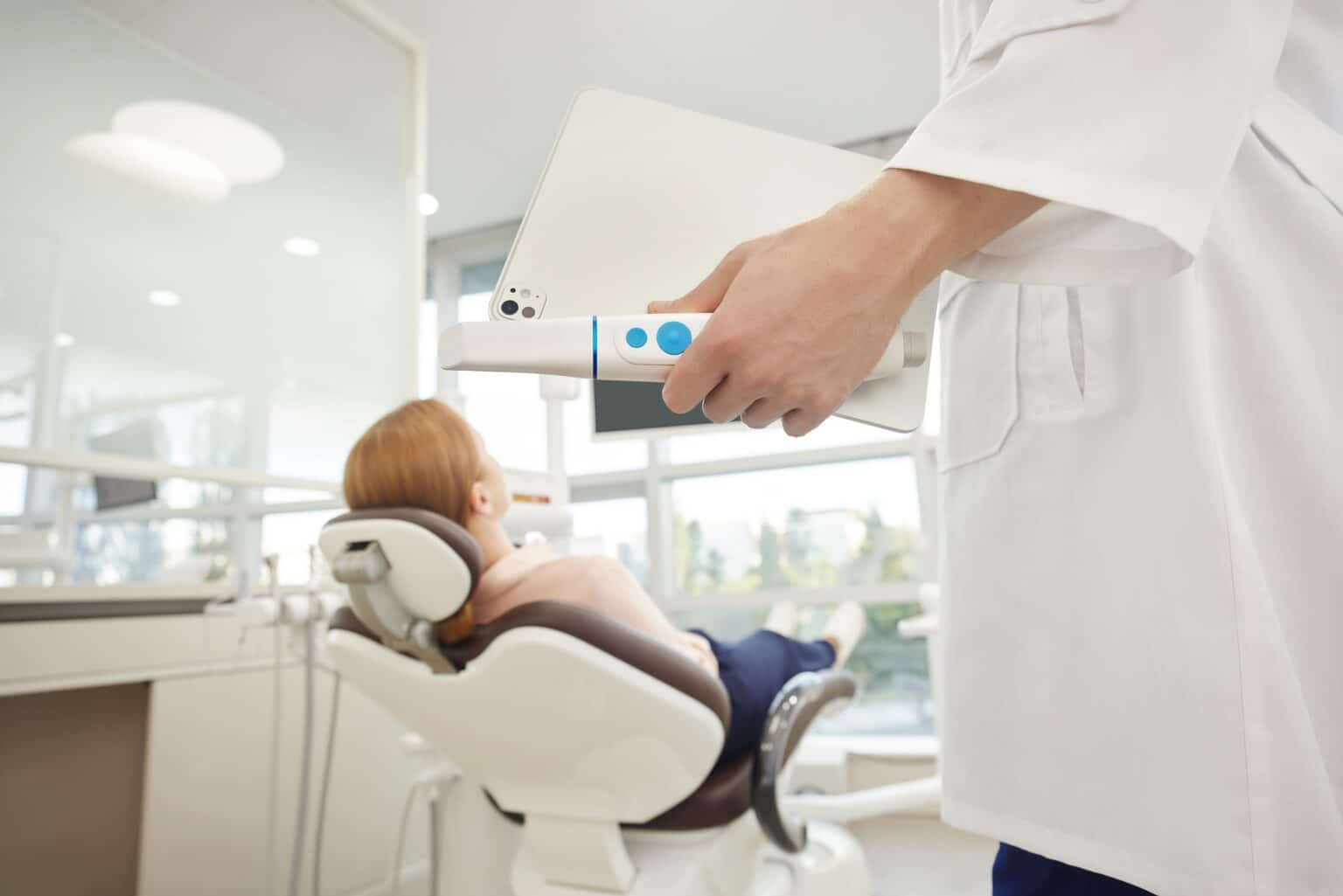


Take your scanner anywhere it’s needed.
scanning app—designed to work where you do, how you do.
scanning app—designed to work where you do, how you do.


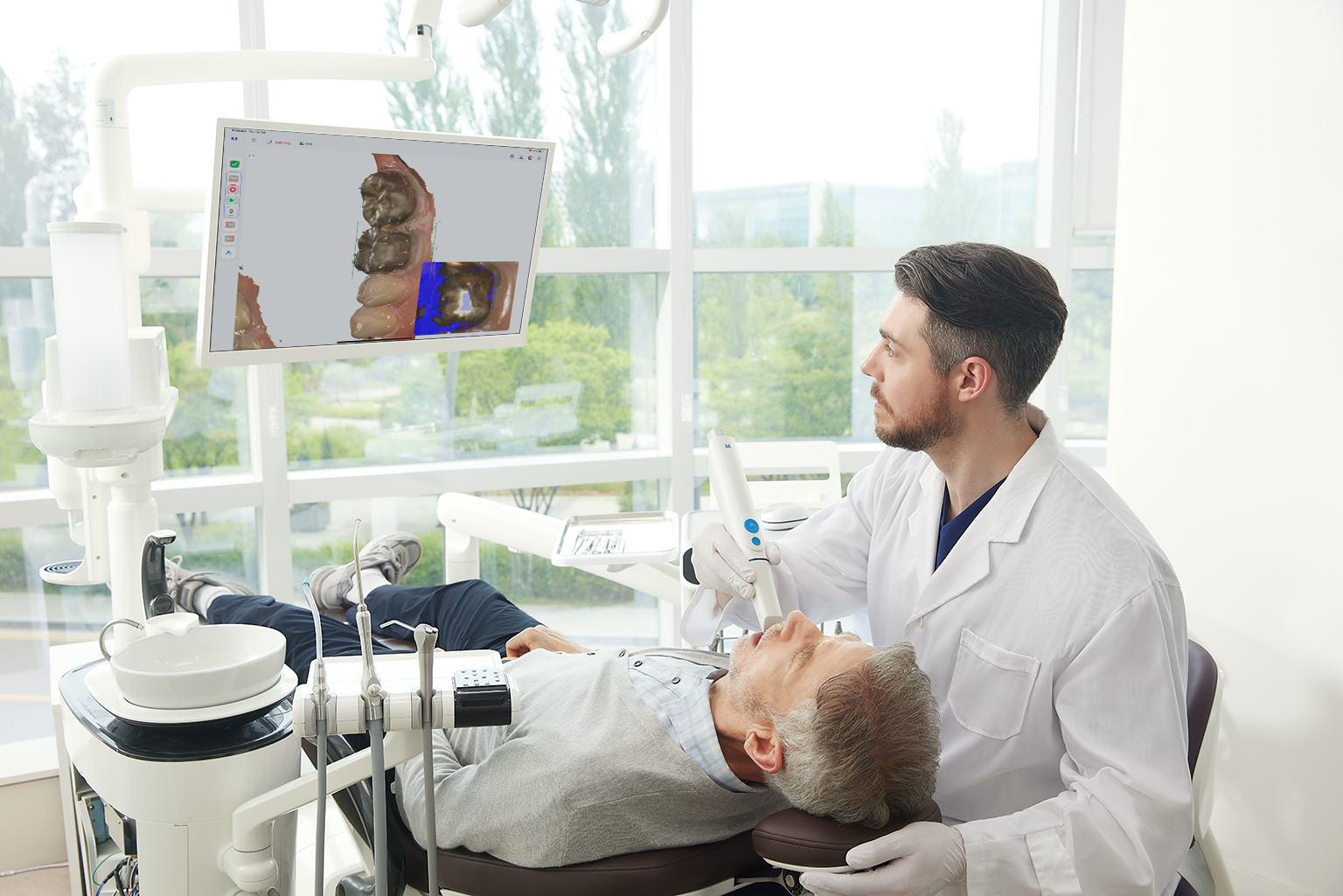
any team member can scan confidently—with no training required.

any team member can scan confidently—with no training required.
with clarity, and keep your team aligned with synced access.


with clarity, and keep your team aligned with synced access.
True Mobility?
from scanning to patient engagement.
True Mobility?
from scanning to patient engagement.
A Wi-Fi router is required for Direct Connection.
- Recommended specification: Wi-Fi 6E router.
Not necessarily, but we recommend using at least a Wi-Fi 6 or Wi-Fi 6E router for better stability and faster data transmission.
This ensures a seamless scanning experience without interruptions.
Express Scan is a dedicated workflow optimized for speed and patient consultation. It allows scanning without patient registration, making it perfect for first-time visits or consultations that require immediate scanning.
How it works:
- Optimized algorithms and data handling for faster scanning.
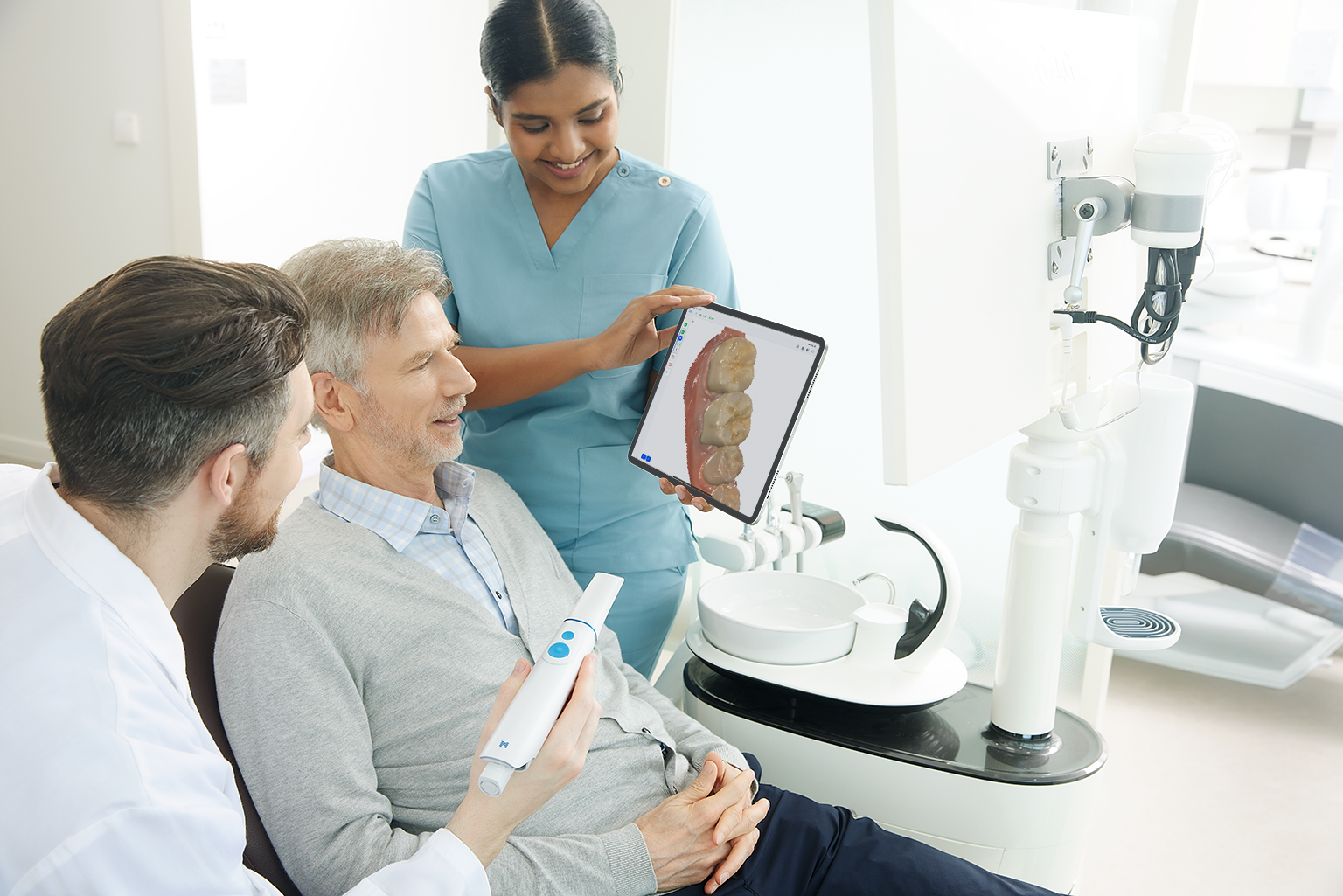
- After scanning, users can rotate, zoom, and review scan data directly on the iPad with the patient.
This helps patients understand their condition visually and improves acceptance of treatment plans.
Note: Express Scan is not intended for prosthetic fabrication due to its speed-focused optimization. If treatment proceeds, a precise scan for prosthetics should be completed using the standard workflow.
The i900 Mobility features a Battery Management System that ensures both safety and efficiency:
- Safety: Monitors battery status to prevent overheating, overcharging, and overvoltage. Alerts the user in case of any abnormal conditions, ensuring safe operation during scanning.
- Efficiency: Adjusts charging speed to optimize energy use, reduce damage from overcharging, and extend overall battery lifespan—maximizing actual scanning time.
Wireless Connection (Direct Connection via Router)
- Launch Medit Link Express or Scan for Clinics.
- Insert the battery and power on the scanner—the device will be detected automatically.
- Select the scanner’s serial number on the screen:
- Scan for Clinics: Automatic connection upon selection.
- Medit Link Express: Wi-Fi password must be entered once during the first setup.
Wired Connection (Using the Hub)
- Launch Scan for Clinics on your laptop.
- Insert the battery and power on the scanner—the device will be detected automatically.
- Select the serial number to complete the connection.
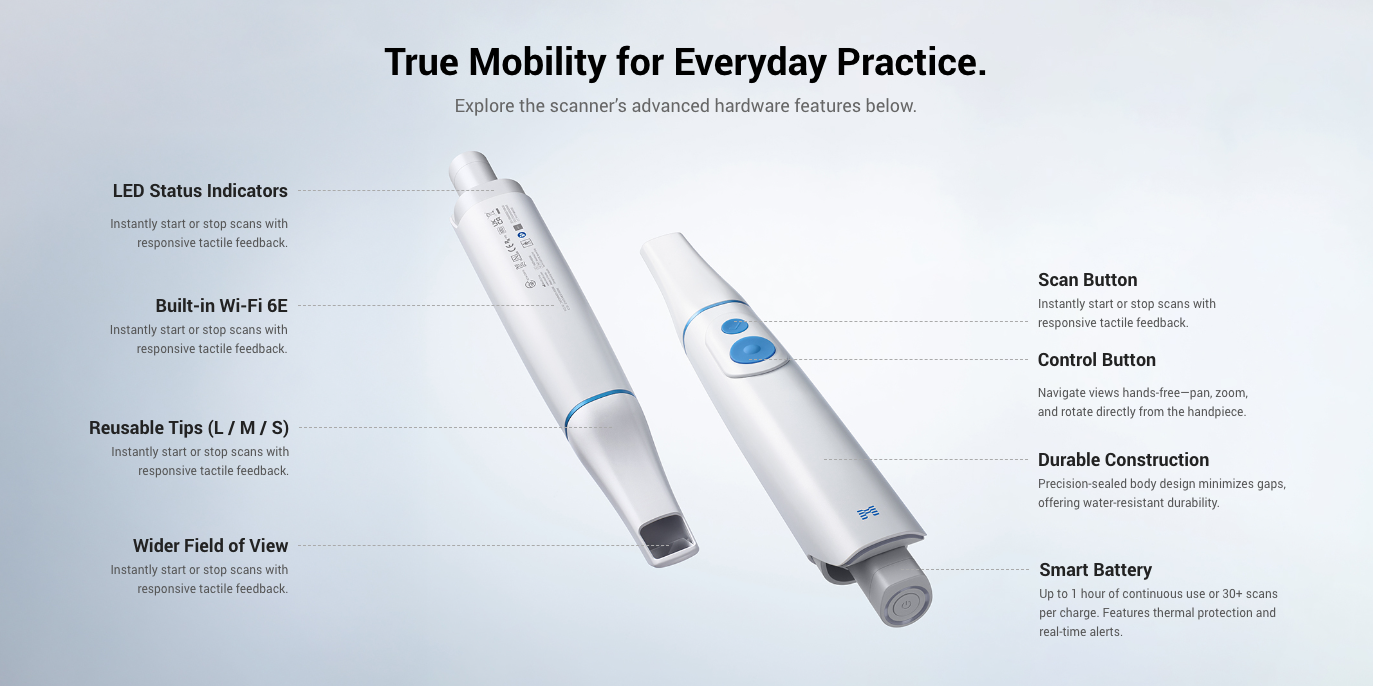
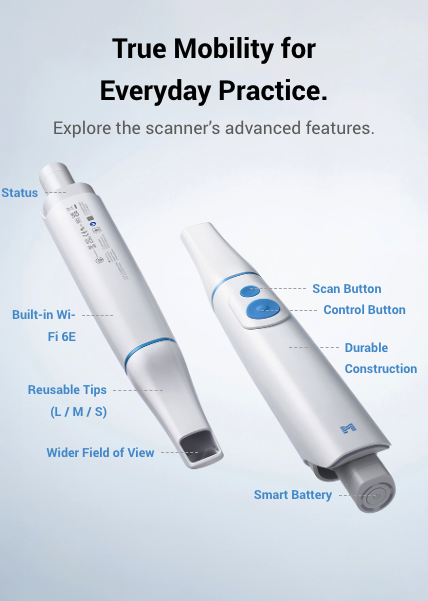
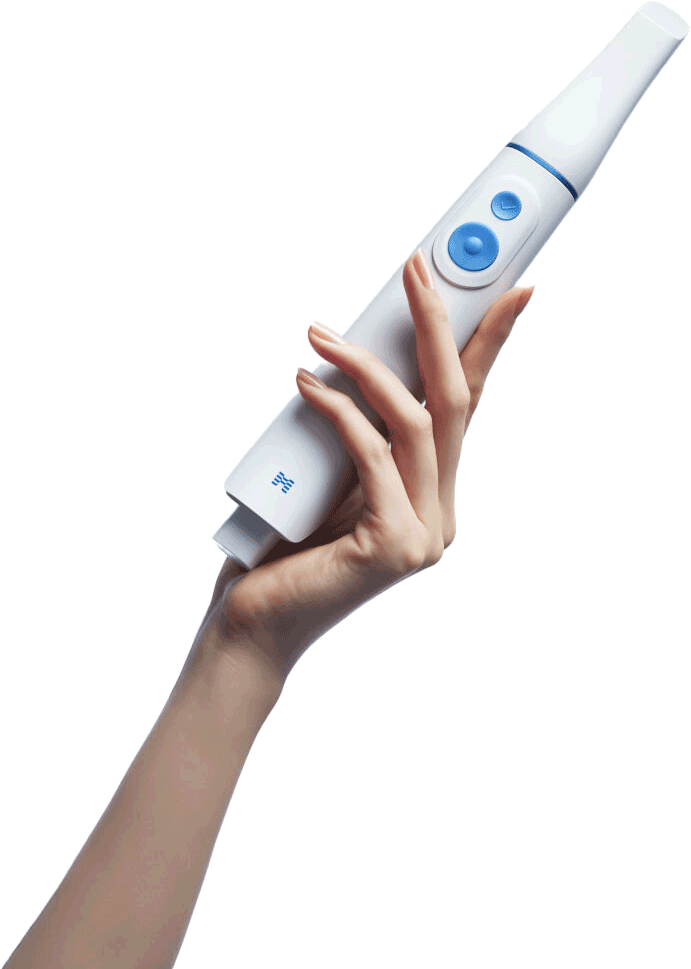
The i900 Mobility is equipped with two physical buttons, each serving different purposes:
- Top Button (Scan Button): Press once to start or stop scanning. Additional functions can be triggered by double-pressing, triple-pressing, or long-pressing. These actions can be customized in the settings menu for user convenience.
- Bottom Button (Control Button): This button allows you to easily manipulate the scanned data—rotate, move, zoom in/out—without a mouse or touchscreen. Its intuitive design makes it possible to review and adjust scans directly from the scanner, improving workflow efficiency.
Recommended: iPad Pro with the latest M4 chip (11-inch or 13-inch, 1TB or 2TB).
Higher specs provide better performance and long-term stability.
Yes. Cases registered in Medit Link can be accessed in Medit Link Express, though download time may vary.
- On PC or Mac, check Wi-Fi connection properties for protocol and frequency.
- The easiest way: Check the label on your router—it usually lists the model name and supported Wi-Fi standards (e.g., Wi-Fi 5, Wi-Fi 6, Wi-Fi 6E, AX1800).
- Alternatively, search the model number online for full specifications.
- For more technical details, check your device’s Wi-Fi settings for terms like 802.11ac (Wi-Fi 5) or 802.11ax (Wi-Fi 6).
Yes. Existing i900 tips are fully compatible with i900 Mobility (i900M).
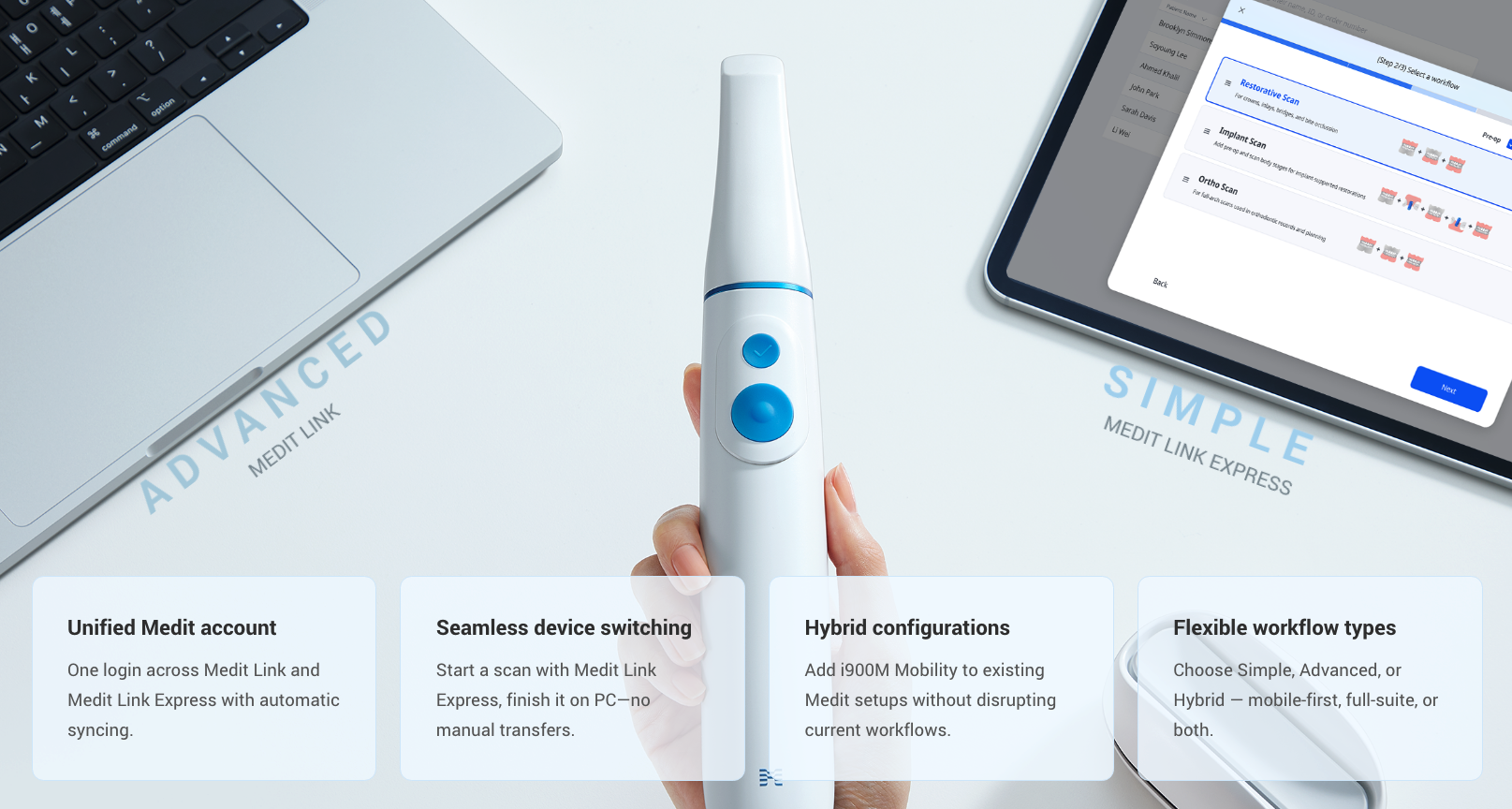
Medit Link and Medit Link Express are designed for different environments:
- Medit Link: A full-featured desktop platform that supports advanced workflows and various apps (Model Builder, Splints, Occlusion Analyzer, etc.). It’s ideal for complex treatment planning, collaboration, and app-based design.
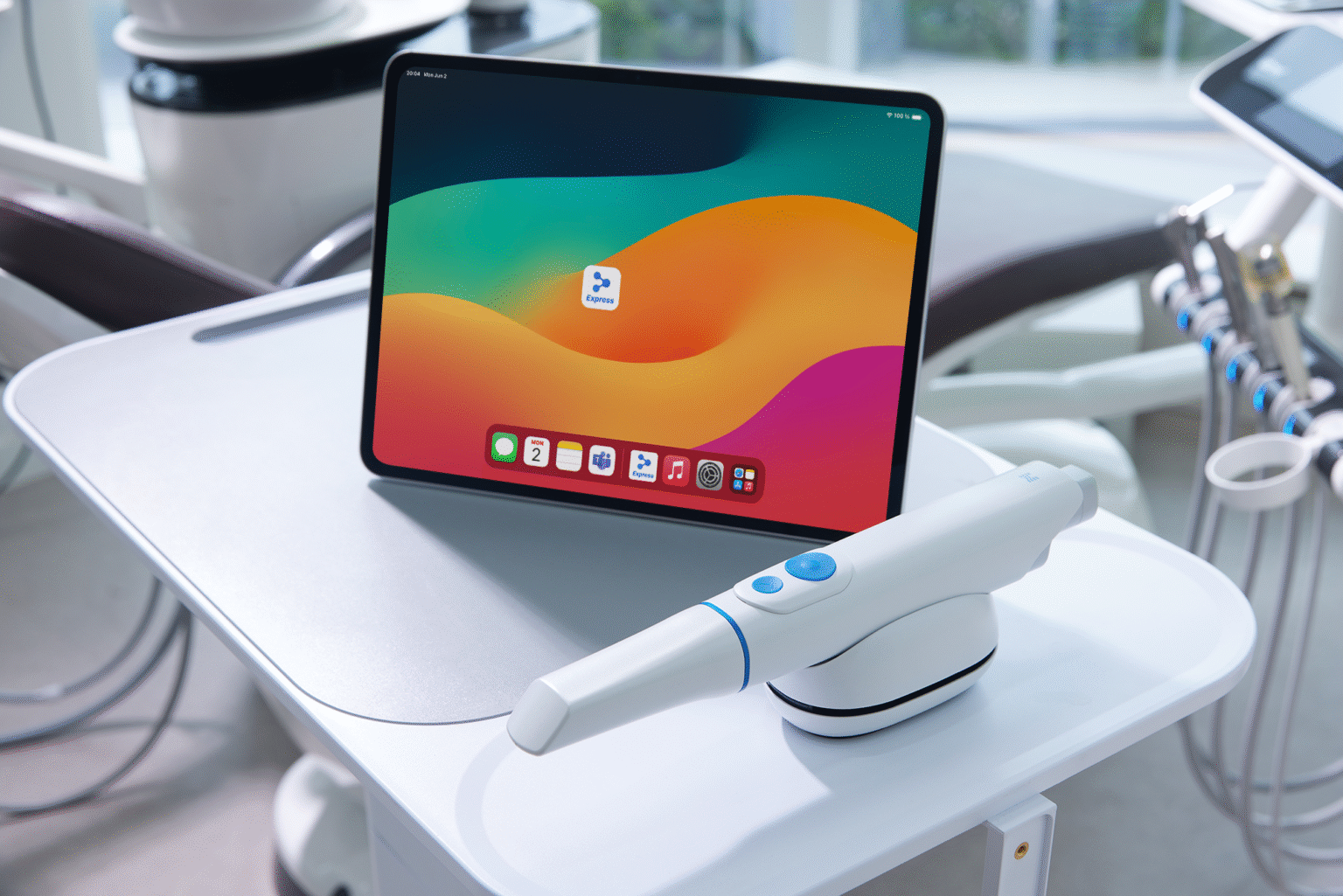
- Medit Link Express: A mobile-only scanning and sending app optimized for iPad. It is designed for quick consultations, chairside scanning, and mobile workflows. Simple and intuitive, it requires no special training—just install the app and start scanning. It also allows real-time communication with patients by sharing scan data during consultations.
i900 Mobility offers two connection methods based on your clinical environment and workflow requirements:
Wireless Connection (Direct Connection via Router)
You can connect i900 Mobility wirelessly to an iPad or laptop through a Wi-Fi router without using a hub.
- On iPad: Use the Medit Link Express app.
- On laptop: Use the Medit Link software.
This allows you to choose your preferred scan workflow even in a wireless setup.
A hub is included in the package, so you can choose the most convenient connection method for your practice.
Wired Connection (Using the Hub)
You can also connect the scanner to your laptop using the included hub. This method is suitable if you want to maintain your existing workflow with Medit Link.
Note: iPad does not support wired connection via the hub.
Wi-Fi 6E utilizes the 6GHz band, offering higher speed and a more stable wireless connection compared to previous Wi-Fi standards.
- Monitor real-time battery status via Medit Link or Medit Link Express.
- Receive alerts for overheating, overvoltage, or overcharging issues, ensuring safe use.
- LED indicators on both the battery and cradle display charging status, full charge, or error conditions, allowing easy monitoring without additional tools.
- Use Medit Link Express for quick, chairside scanning and consultations.
- Switch to Medit Link for advanced workflows, app-based design, and detailed editing.
Both platforms share data through a single account, enabling flexible and efficient workflow management.
Yes. You can remove the hub and switch to Direct Connection via a Wi-Fi router at any time.
To switch back, reconnect the hub to the laptop, and the scanner will automatically revert to the wired connection mode.
A Wi-Fi router is required for Direct Connection.
- Recommended specification: Wi-Fi 6E router.
Not necessarily, but we recommend using at least a Wi-Fi 6 or Wi-Fi 6E router for better stability and faster data transmission.
This ensures a seamless scanning experience without interruptions.
Express Scan is a dedicated workflow optimized for speed and patient consultation. It allows scanning without patient registration, making it perfect for first-time visits or consultations that require immediate scanning.
How it works:
- Optimized algorithms and data handling for faster scanning.
- After scanning, users can rotate, zoom, and review scan data directly on the iPad with the patient.
This helps patients understand their condition visually and improves acceptance of treatment plans.
Note: Express Scan is not intended for prosthetic fabrication due to its speed-focused optimization. If treatment proceeds, a precise scan for prosthetics should be completed using the standard workflow.
The i900 Mobility features a Battery Management System that ensures both safety and efficiency:
- Safety: Monitors battery status to prevent overheating, overcharging, and overvoltage. Alerts the user in case of any abnormal conditions, ensuring safe operation during scanning.
- Efficiency: Adjusts charging speed to optimize energy use, reduce damage from overcharging, and extend overall battery lifespan—maximizing actual scanning time.
Wireless Connection (Direct Connection via Router)
- Launch Medit Link Express or Scan for Clinics.
- Insert the battery and power on the scanner—the device will be detected automatically.
- Select the scanner’s serial number on the screen:
- Scan for Clinics: Automatic connection upon selection.
- Medit Link Express: Wi-Fi password must be entered once during the first setup.
Wired Connection (Using the Hub)
- Launch Scan for Clinics on your laptop.
- Insert the battery and power on the scanner—the device will be detected automatically.
- Select the serial number to complete the connection.
The i900 Mobility is equipped with two physical buttons, each serving different purposes:
- Top Button (Scan Button): Press once to start or stop scanning. Additional functions can be triggered by double-pressing, triple-pressing, or long-pressing. These actions can be customized in the settings menu for user convenience.
- Bottom Button (Control Button): This button allows you to easily manipulate the scanned data—rotate, move, zoom in/out—without a mouse or touchscreen. Its intuitive design makes it possible to review and adjust scans directly from the scanner, improving workflow efficiency.
Recommended: iPad Pro with the latest M4 chip (11-inch or 13-inch, 1TB or 2TB).
Higher specs provide better performance and long-term stability.
Yes. Cases registered in Medit Link can be accessed in Medit Link Express, though download time may vary.
Wi-Fi 6E utilizes the 6GHz band, offering higher speed and a more stable wireless connection compared to previous Wi-Fi standards.
- Monitor real-time battery status via Medit Link or Medit Link Express.
- Receive alerts for overheating, overvoltage, or overcharging issues, ensuring safe use.
- LED indicators on both the battery and cradle display charging status, full charge, or error conditions, allowing easy monitoring without additional tools.
- Use Medit Link Express for quick, chairside scanning and consultations.
- Switch to Medit Link for advanced workflows, app-based design, and detailed editing.
Both platforms share data through a single account, enabling flexible and efficient workflow management.
Yes. You can remove the hub and switch to Direct Connection via a Wi-Fi router at any time.
To switch back, reconnect the hub to the laptop, and the scanner will automatically revert to the wired connection mode.
- On PC or Mac, check Wi-Fi connection properties for protocol and frequency.
- The easiest way: Check the label on your router—it usually lists the model name and supported Wi-Fi standards (e.g., Wi-Fi 5, Wi-Fi 6, Wi-Fi 6E, AX1800).
- Alternatively, search the model number online for full specifications.
- For more technical details, check your device’s Wi-Fi settings for terms like 802.11ac (Wi-Fi 5) or 802.11ax (Wi-Fi 6).
Yes. Existing i900 tips are fully compatible with i900 Mobility (i900M).
Medit Link and Medit Link Express are designed for different environments:
- Medit Link: A full-featured desktop platform that supports advanced workflows and various apps (Model Builder, Splints, Occlusion Analyzer, etc.). It’s ideal for complex treatment planning, collaboration, and app-based design.
- Medit Link Express: A mobile-only scanning and sending app optimized for iPad. It is designed for quick consultations, chairside scanning, and mobile workflows. Simple and intuitive, it requires no special training—just install the app and start scanning. It also allows real-time communication with patients by sharing scan data during consultations.
i900 Mobility offers two connection methods based on your clinical environment and workflow requirements:
Wireless Connection (Direct Connection via Router)
You can connect i900 Mobility wirelessly to an iPad or laptop through a Wi-Fi router without using a hub.
- On iPad: Use the Medit Link Express app.
- On laptop: Use the Medit Link software.
This allows you to choose your preferred scan workflow even in a wireless setup.
A hub is included in the package, so you can choose the most convenient connection method for your practice.
Wired Connection (Using the Hub)
You can also connect the scanner to your laptop using the included hub. This method is suitable if you want to maintain your existing workflow with Medit Link.
Note: iPad does not support wired connection via the hub.